Last Modified October 2, 2026
- Home
- Guides
- Must Read Topics
- Adding to IDE project
- Adding to Lazarus
Adding software_DNA to Lazarus
(Windows / MacOS / LINUX)
-
Overview
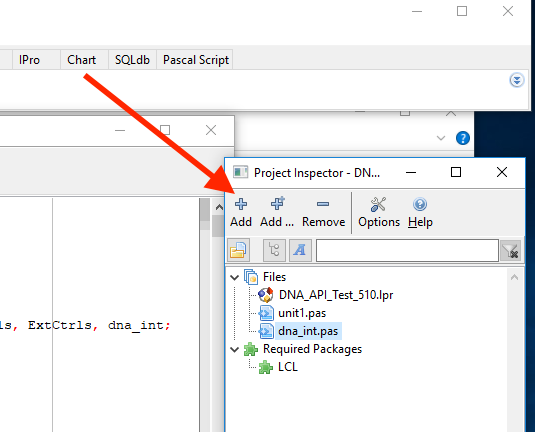
- Copy the DNA Library and DNA_INT.pas files to the root directory of your Project
- From the Project Inspector window , click on
+ Add to add the files to the project
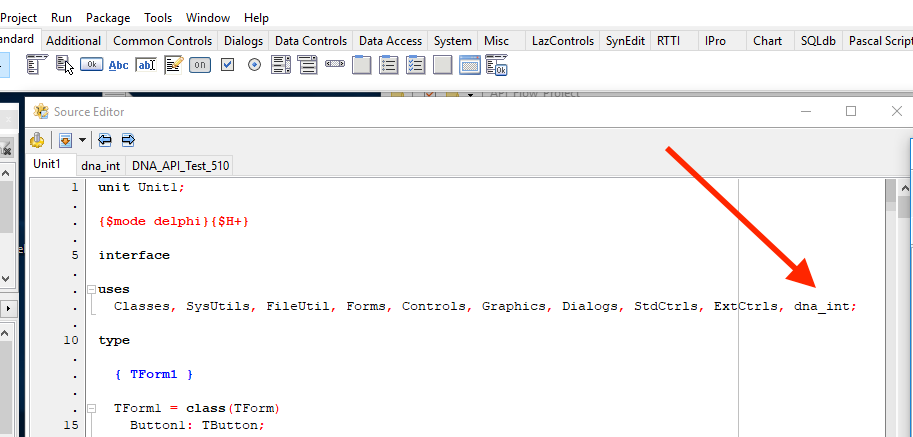
- in the source code files that will use the DNA API calls, add
dna_int to the Uses statement (Delphi Pascal shown here)
You should now be able to add DNA API calls in your project as per our Implementation Guides.