Last Modified October 2, 2026
- Home
- Guides
- TurnKey Activation
- De-Activate the License
TurnKey Activation - De-Activate the License
To allow your Users to install the application on a different computer, the License needs to be de-activated on the
current computer.
Typically, you would provide a menu item in your software application that allows the de-activation of the software.
The DNA_ProtectionOK() Option 3 with built-in De-Activation function will perform the following:
- present a built-in screen for capturing the License Password from the User
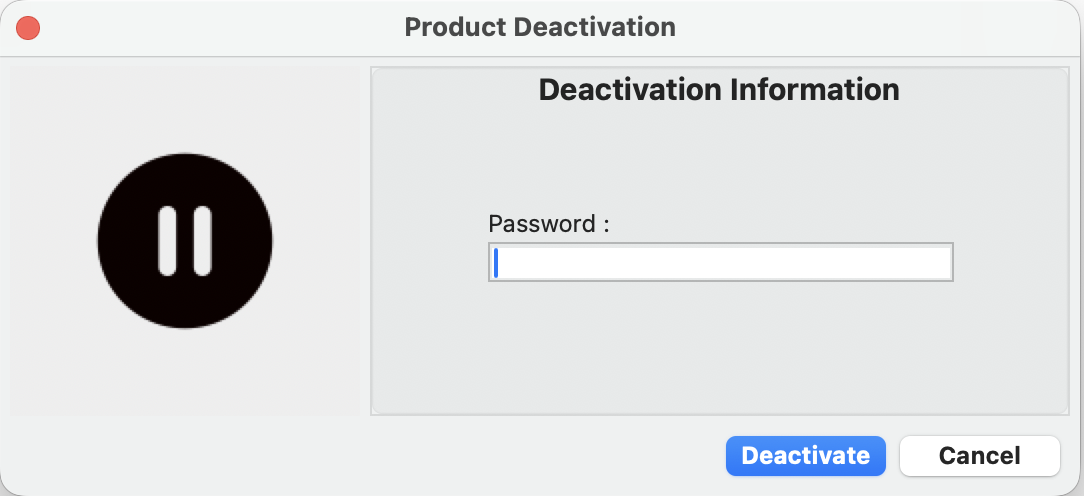
- call
DNA_DeActivate()
- disable the CDM license file on the User’s computer
- instruct the DNA Server to free-up (i.e. delete) the "Computer" or the
"Seat"
for this computer which can then be used by another computer / user.
For Floating Licenses, you would include a DNA_Deactivate call in the "Close" event handler
of your Application.
See Using the TurnKey Activation Process with Floating Licenses
for details.
De-Activate the License
Highlighted lines indicate where additional code is required or needs to be modified.
                        //************** De-Activation code **********************//

                        //
                        // For de-activation of the License to allow the User to install on another
                        // computer, the following code should be included
                        // in the response to a "De-Activate" button click or menu selection
                        //

                        errNo = DNA_ProtectionOK(DNA_product_key,3,0);

                        if (errNo == 0)

                            {
                                // deactivation was OK, exit the application

                            }
                        else
                        	{
                                // error occurred, quit the application

                                // optionally, you can display an error message
                                // you can use DNA_ERROR() which translate the errNo into a more
                                // user-friendly description, or use your own descriptions

                                DNA_Error(errNo,buffer,sizeof(buffer));

                                // display error explanation
                                // quit the application

                        	}